Tools
If your only tool is hammer everything starts to look like a nail


The basic tool of a writer in the modern era is the word processor. Before that, a typewriter, or a pen and paper, going all the way back to soft clay and a stylus.
My first stab at a novel was written very much by the ‘seat of my pants’, still being fresh from school, the standard lined and holed notepaper for the Legal or A4 binder came into play as I scribbled down notes and ideas.
Today I am more of a plotter than, as the jargon goes, a ‘pantser,’ that doesn’t mean I’m a slave to the outlines I plot, far from it, but I do prefer to know where I am going—how the story is going to end.
Wikis come in various forms; most still think of Wikipedia in much the same way, many say, “I’ll Google that” or “I just have to Hoover the carpet”.
If you’ve ever surfed a wiki, you’ll know that a powerful feature is the interconnectedness, where highlighted keywords are also clickable links to other articles within the wiki itself.
That’s why I turned to a personal, offline wiki as my chosen tool for note-taking, plotting, and planning—the cross-platform Zim Wiki.
I use both Windows and Linux OS, and there is a macOS version, too, which I haven’t tried...
Zim provides a simple, logical structure for my notes.
The branching nature of a wiki’s ‘tree structure’ allows for an ordinal topic and multiple subordinate branches, each with its own children. Moreover, I can link between articles within the individual wiki and hyperlink to outside online resources.
The structure does depend on the project, but a common pattern for me is threefold.
Sketches—characters and locations
Explanatory notes
The plot itself
Each category then subdivides as often as necessary. Below is just an example; the blue text is a link to another subdocument, built for my Spectral Detective Series.
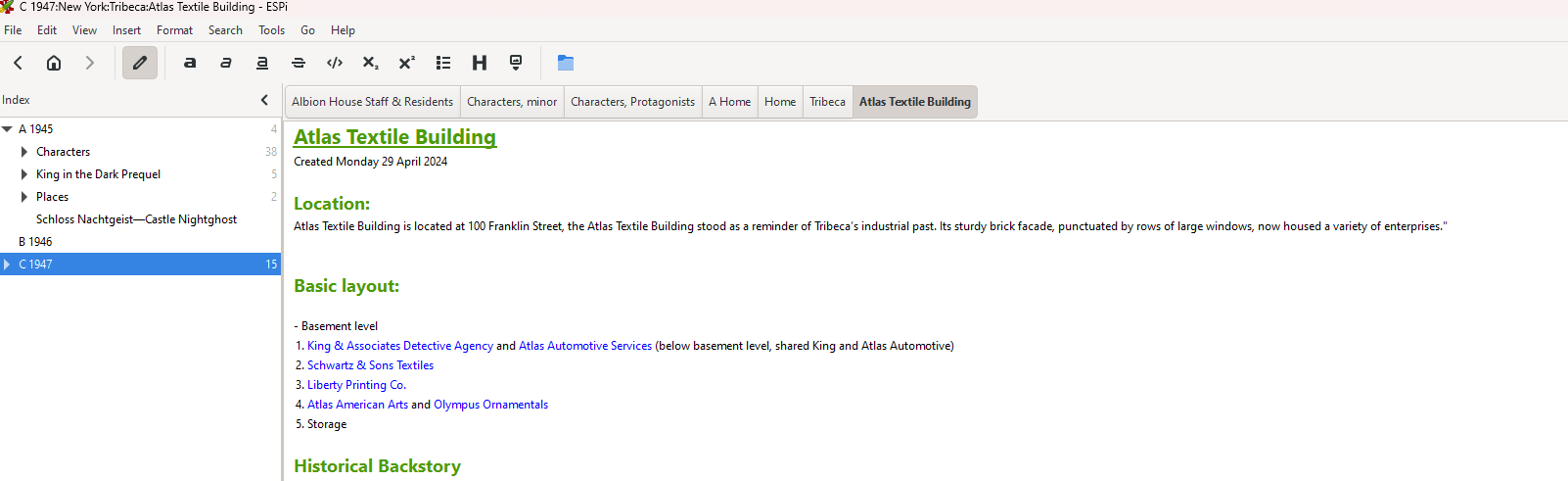
In practise, say, I create a character, Peter, who is married to Paula, and they live in Middlingville, in a house called Dunroamin. I can create detailed sketches of these people and locations.
These are both arranged visually as a tree in the left-hand pane, and I can tether these together via links.
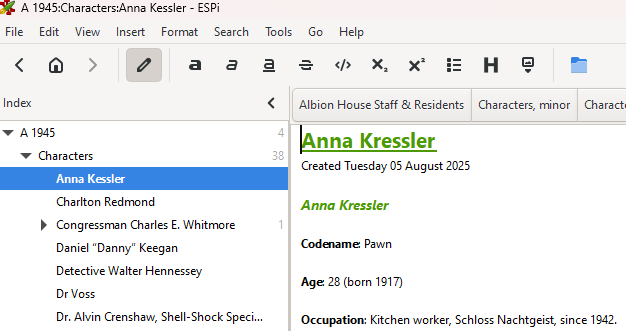
Peter’s page says—Wife: Paula. Here, ‘Paula’ links to her page, and vice versa, where ‘Peter’ can link to his.
I can link both ‘Peter’ and ‘Paula’ to the ‘Dunroamin’ location sketch, which is linked to and subordinate to ‘Middlingville’—the main location, which is itself found in the state of ‘Substackia’.
The Notes can cover plot devices and lore. Such as the history of Substackia and the inky revolution, when people built many fiery stacks that shed more heat than light.
That’s where a local wiki like Zim truly rules: managing dozens of characters, locations, and deep, complex lore in an ordered and connected way.
I can arrange the plot in any-which-way that works—using a pertinent framework, which for me is sequential and chronological.
New characters, people, and places, such as ‘Peter’s’ and ‘Paula’s’ kids, ‘Robby’ and ‘Bobby’, can be created as the story demands.
I need discipline—updating sketches as the work evolves, but doing so means I have an encyclopedia of my novel at my fingertips. Which I find very useful. Of course, dear reader, your mileage may vary.
Let me know how, or even if, you harness the powers of imagination.
Why did I have a dream about this substack post many years ago? 👀😳🤷🏻♀️
Thank you for sharing the tools you use. For shorter stories, I’ve been mostly “pantsing” and for longer stories I’ve been outlining and writing character profiles (I’m trying to write down character profiles and other data on my short story series too, but it’s slow), all in Word docs.